Friday, February 20, 2015
Lenovo S720 White User Manual Guide
Lenovo S720 White User Manual Guide
 |
Lenovo S720 White |
General | ||
| 2G Network | : | GSM 900 / 1800 - SIM 1 & SIM 2 |
| 3G Network | : | HSDPA 2100 |
| SIM | : | Dual SIM (Mini-SIM) |
Body | ||
| Dimensions | : | 132.3 x 68.3 x 9.9 mm (5.21 x 2.69 x 0.39 in) |
| Weight | : | 140 g (4.94 oz) |
Display | ||
| Type | : | IPS LCD capacitive touchscreen, 16M colors |
| Size | : | 540 x 960 pixels, 4.5 inches (~245 ppi pixel density) |
| Multitouch | : | Yes |
Sound | ||
| Alert types | : | Vibration; MP3, WAV ringtones |
| Loudspeaker | : | Yes |
| 3.5mm jack | : | Yes |
Memory | ||
| Card slot | : | microSD, up to 32 GB |
| Internal | : | 4 GB ROM, 512 MB RAM |
Data | ||
| GPRS | : | Yes |
| EDGE | : | Yes |
| Speed | : | HSDPA, HSUPA |
| WLAN | : | Wi-Fi 802.11 b/g/n, Wi-Fi hotspot |
| Bluetooth | : | Yes, v2.1 with A2DP, EDR |
| USB | : | Yes, microUSB v2.0 |
Camera | ||
| Primary | : | 8 MP, 3264 x 2448 pixels, autofocus, LED flash |
| Features | : | Geo-tagging, touch focus, face detection |
| Video | : | Yes, 720p |
| Secondary | : | Yes, 1 MP |
Features | ||
| OS | : | Android OS, v4.0.4 (Ice Cream Sandwich) |
| Chipset | : | MTK 6577 |
| CPU | : | Dual-core 1 GHz Cortex-A9 |
| GPU | : | PowerVR SGX531 |
| Sensors | : | Accelerometer, proximity |
| Messaging | : | SMS(threaded view), MMS, Email, Push Mail, IM, RSS |
| Browser | : | HTML |
| Radio | : | FM radio |
| GPS | : | Yes, with A-GPS support |
| Java | : | Yes, via Java MIDP emulator |
| Colors | : | Pink, White |
| SNS integration | ||
| MP4/WMV/H.264/H.263 player | ||
| MP3/WAV/WMA/eAAC+ player | ||
| Organizer | ||
| Image/video editor | ||
| Document viewer | ||
| Google Search, Maps, Gmail, YouTube, Calendar, Google Talk | ||
| Voice memo/dial | ||
| Predictive text input | ||
| Battery | ||
| Li-Ion 2000 mAh battery | ||
| Stand-by | : | No official data |
| Talk time | : | No official data |
Lenovo S720 White : Download Pdf

Nokia Lumia 920 Smartphone Manual User Guide Pdf Free Download And Specification

Specification smartphone and features Nokia Lumia 920:
- Network: GSM 850 / 900 / 1800 / 1900; HSDPA 850 / 900 / 1900 / 2100; LTE 800 / 900 / 1800 / 2100 / 2600; LTE 700 MHz Class 17 / 1700 / 2100
- Carrier: AT&T
- SIM: Micro-SIM
- Released: 2012, November
- Dimensions: 130.3 x 70.8 x 10.7 mm, 99 cc (5.13 x 2.79 x 0.42 in)
- Weight: 185 g (6.53 oz)
- Colors: Black, Gray, Red, Yellow, White
- Operating system: Microsoft Windows Phone 8
- Chipset: Qualcomm MSM8960 Snapdragon
- Processor: Dual-core 1.5 GHz Krait
- GPU: Adreno 225
- Sensors: Accelerometer, gyro, proximity, compass
- Display: 4.5 inches IPS TFT capacitive touchscreen (768 x 1280 pixels), 16M colors with Corning Gorilla Glass 2 and PureMotion HD+ ClearBlack display
- Multitouch: Yes
- Internal memory: 32 GB storage, 1 GB RAM
- Card slot: No
- Data Speed: HSDPA 42.2 Mbps, HSUPA 5.76 Mbps, LTE, Cat3, 50 Mbps UL, 100 Mbps DL
- WLAN: Wi-Fi 802.11 a/b/g/n, dual-band, DLNA, Wi-Fi hotspot
- Browser: HTML5
- Bluetooth: Yes, v3.1 with A2DP, EDR
- NFC: Yes
- GPS: Yes, with A-GPS support and GLONASS
- USB: Yes, microUSB v2.0, USB On-the-go support
- Camera: 8.7 MP rear facing camera (8 MP effective, 3264 x 2448 pixels), Carl Zeiss optics, optical image stabilization, autofocus, dual-LED flash; 1.3 MP front facing camera (720p@30fps of video)
- Camera Features: PureView technology, geo-tagging, touch focus, optical image stabilization
- Video: Yes, 1080p@30fps, video stabilization
- Messaging: SMS (threaded view), MMS, Email, Push Email, IM
- Alert types: Vibration; MP3, WAV ringtones
- Loudspeaker: Yes
- 3.5mm jack: Yes with Dolby Headphone sound enhancement
- Other features: MP3/WAV/eAAC+/WMA player, MP4/H.264/H.263/WMV player, 7GB free SkyDrive storage, SNS integration, Document viewer/editor, Predictive text input, etc.
- Battery: Li-Ion 2000 mAh (BP-4GW)
- Stand-by time: Up to 400 h (3G)
- Talk time: Up to 10 h (3G)
- Music play: Up to 67 h
Device overview of Nokia Lumia 920 smartphone

1. Earpiece
2. Micro-SIM holder
3. Connector for headphones and speakerphones (3.5 mm)
4. Front camera
5. Volume keys
6. Power/Lock key
7. Camera key
8. Search key
9. Micro-USB connector
10. Start key
11. Speakerphone
12. Back key
13. SIM door key
14. Camera flash
15. Camera lens.
To know about operating guide of Nokia Lumia 920 smartphone, you can download this Nokia Lumia 920 user manual below.
Table Contents of Nokia Lumia 920 user guide.
- Safety
- Get started
- Basics
- People & messaging
- Camera
- Maps and Navigation
- Internet
- Entertainment
- Office
- Phone Managemeny and Connectivity
- Help and Support
- Find your Phone Label
- Product and safety information
- Copyrights and other notices
- Index
This Nokia Lumia 920 user manual is available for FREE at Nokia website, usersguidesmanuals.blogspot.com merely collect the information, we neither affiliated with the author(s), the website and any brand(s) nor responsible for its content and change of content. (Read our disclaimer before you download the document from the website).
Download Nokia Lumia 920 user guide.PDF (1.11 MB)
BlackBerry Torch 9810 Guide User Manual
BlackBerry Torch 9810 Guide User Manual
Blackberry Torch 9810 Guide User Manual
 |
BlackBerry Torch 9810 |
Note :
Features :
Note :
Performance :
BlackBerry Torch 9810 Guide User Manual : Download Pdf
Thursday, February 19, 2015
LG Lucid Manual Download Lucid 4G VS840 User Guide
 LG Lucid Manual - Download Lucid 4G VS840 User Guide - The Verizon LG Lucid is smartphone that supported by 1.2 gingerbread Dual-Core Processor and running on the android 2.3 gingerbread opperating system / platform. The LG Lucid 4G VS840 equipped with ghz Megapixel Rear-Facing Camera. If youre owner of this phone, maybe youre one among one that doesnt notice once its bought the LG Lucid 4G VS840, a lot of do you have to study the options and applications on the market. If youre the user sort UN agency likes exploration with the LG Lucid 4G VS840 transportable that you just have purchased it, theres nothing wrong if you scan the LG Lucid manual or user guide PDF. By reading the LG Lucid manual, youd profit and new information necessary instruction for instance phone in operation guide, learn phone basics operations, phone half summary woth explained menu and key functions, tutorial putting in the battery and microSD card, the way to customizing your home screen, lockup th screen, victimization smartshare, connecting guide like victimization Wi-fi and bluetooth, create your device a mobile hotspot, putting and ending calls, victimization the browsefor access the web, backup assistant and, backup settings, victimization the camera for taking pic, victimization the applications, accessing the YouTube, victimization tools, victimization email, victimization Polaris workplace, safety information, specifications, and more.
Table of content for the LG Lucid Manual:
- Important Customer Information
- Technical Details
- The Basics
- Connecting to Networks and Devices
- microSD Card
- Calls
- Web
- Communication
- Tools
- Settings
- Safety
- Specifications
- FAQ
- Limited Warranty Statement
- Index
Download free pdf manual user guide or operating instruction from lg.com or cache.vzw.com here: LG LUCID MANUAL (English / Spanish | 2.76 MB | 476 pages)Download LG Lucid 4G VS840 User Guide from Verizon Wireless
Sony Xperia P Manual Download Sony Xperia P User Guide
 Sony Xperia P Manual - Download Sony Xperia P User Guide - The latest news for the Sony Xperia P manual or user guide. The Sony Xperia P manual currently obtainable for download directly at sonymobile official webiste. The Sony Xperia P user guide comes in PDF format with file size is 7.04 MB, 144 pages. The Sony Xperia P user manual support in several languages like english, spain, francais, italiano, nederlands, and more. within the Sony Xperia P owner manual youll notice several data and instruction as an example regarding a way to insert the small SIM card, setup guide, screen lock, phone half summary with find out about menu and keys functions, using the touchscreen, phones settings menu, knowledge roaming, and network settings. additionally conjointly provides detail data regarding phone call, backup contacts, using email, Google speak, timescape, using playnow service, using video and music, using neoReader applications, adjustment with Google, NFC, using Wi-fi and VPN Settings, using browser for access the net, managing bookmarks, browser settings, FM radio, using 3D camera and bluetooth, mistreatment google maps, GPS, etc. alternative necessary directions like regarding make a copy and restoring phone, lockup and protecting phone like SIM card protection and setting a screen lock, change computer code phone, phone settings guide, and troubleshooting drawback. additional detail regarding table of conent for the Sony Xperia P manual / user guide browse below. By the approach during this manual centre diary conjointly has been mentioned regarding the Sony Xperia P specs and price information.
Table of Content for the Sony Xperia P Manual User guide:
- Important information
- Android - What and Why?
- Getting started
- Getting to know your phone
- Calling
- Contacts
- Messaging
- Google talk
- Timescape
- Getting started with android market
- Playnow service
- video unlimited
- Music Unlimited
- Getting organised
- Scanning with the Neoreader application
- Synchronising data on your phone
- NFC
- Connecting to wireless networks
- Web browser
- Music
- Identifying music using trcakID technology
- Using the FM radio
- Taking photos and recording videos
- 3D camera
- Viewing photos and videos in gallery
- Viewing photos in 3D album
- Bluetooth wireless technology
- Connecting your phone to a computer
- Connecting your phone to a TV set
- Using location services to find your position
- Backing up and restoring your phone
- Locking and protecting your phone
- Updating your phone
- Phone settings overview
- Status and notification icons overview
- Application overview
- User support
- Troubleshooting
- Recycling your phone
- Legal information
- Index
Sony Xperia P Troubleshooting Summary:
- My phone is not working as expected
- Resetting the phone
- No battery charging icon appears when phone starts charging
- The battery perfoemance is low
- I cannot transfer content between my phone and the computer, when using a USB cable
- I cannot use internet based services
- Error messages
Download the Sony Xperia P manual user guide here (english). For other language here.
Wednesday, February 18, 2015
Nikon Coolpix P150 Manual Download Nikon Coolpix P510 User
 Nikon Coolpix P150 Manual - Download Nikon Coolpix P510 User - Continue the previous post concerning the Nikon Coolpix P310 Manual user guide, currently concerning the Nikon Coolpix P510 manual or user guide. The owner manual operative guide comes in PDF format with file size is sixteen.09 MB with 260 pages. The Nikon Coolpix P510 user guide support in English and might scan victimisation PDF computer code like Adobe or Foxit. several info, instruction, tutorial within the Nikon Coolpix P510 user manual for instance concerning step by step victimisation camera properly and safely, camera layout, learn camera basic operations, tutorial shooting and playback, victimisation applications like GPS, recording guide, camera setting guide or setup, identifications of drawback or troubleshooting guide, ect. a lot of detail concerning the Nikon Coolpix P510 manual youll be able to scan table of content below. however before it, the subsequent the Nikon Coolpix P510 camera specification like 16.1 million Effective Pixels, CMOS, 42x optical Zoom, NIKKOR glass lens, 4.3-180mm Lens distance, f/3.3-5.9, Lens-shift VR, 3.0 in. diagonal, Approx. 90MB internal memory, Audio file format: AAC stereo, Audio file format: AAC stereo, HD: 1280x720p / 30fps, iFrame� 540: 960x540 / 30fps, pic file format: MPEG-4 AVC H.264, Hi-speed USB, reversible Li-ion Battery EN-EL5 and more.
Table of content for nikon coolpix p150 manual or user guide:
- Introduction
- Parts of the Camera and Basic Operations
- Basic Operations
- The Basics of Shooting and Playback
- Shooting Features
- Playback Features
- Recording and Playing Back Movies
- Using GPS
- General Camera Setup
- Reference Section
- Technical Notes and Index
- Caring for the Products
- Caring for the Camera
- Troubleshooting
- Index
Download free pdf manual user guide operating instruction from nikonusa.com here:NIKON COOLPIX P150 MANUAL (ENGLISH)
Micromax A100 User Manual Guide
 |
| Micromax images |
Samsung Ativ Manual User Guide
 |
| Google Images |
To back up your computer to an external storage device, connect the external storage device and select the relevant drive.
Click Backup in the Recovery Home screen. Select the drive to save and click Backup.
How to recover your computer?
Solution:
If the backup image is saved to an external storage device, connect the device.
Start Recovery and click Recover.
Tuesday, February 17, 2015
Samsung Google Nexus S 4G Manual User Guide
 Samsung Google Nexus S 4G Manual User Guide - Congratulations if had bought the Samsung Google Nexus S 4G cell phone. On the smartphone in fact several applications and options you wish to undertake. For it, as a reference or pointers do not forget to scan the manual or user guide PDF of Samsung Google Nexus S 4G As owner or smart user of this phone, try and scan carefully step by step from the Samsung Google Nexus S 4G manual as a result of once your Samsung Google Nexus S 4G has operated properly and in step with the procedure, then this may be helpful to the sturdiness of your phone. If there square measure obstacles or issues along with your phone, because the answer or downside finding / troubleshooting ideally before contacting samsung service center, scan all vital instruction that square measure within the Samsung Google Nexus S 4G Manual. however if you lose with the Samsung Google Nexus S 4G user manual, youll download it directly sprint.com official web site. As data for you, once we have a tendency to scan the Samsung Google Nexus S 4G owner manual, there square measure some vital data like learn automaton basics, a way to connecting to networks and devices, learn inserting and receiving calls, looking out by text and voice, regarding contacts, accounts, using Gmail and calendar, a way to mistreatment Google Voice and Google speak, email. Then discuss regarding electronic communication, mistreatment browser for access web, using maps, navigation, places, Latitude, tutorial mistreatment camera for taking icon, any mistreatment galery, listen music, news and weather, a way to set the clock, a way to transfer with automaton Market, phone settings guide, and more. The Samsung Google Nexus S 4G has specifications and options like supported by a 1 gigacycle application processor, 3D-like graphics, on the market 512MB RAM,Applied android 2.3 gingerbread platform, its 4-inch Super AMOLED touchscreen technology show, android Market, support 3G/4G Mobile Hotspot capability, Wi-Fi 802.11 b/g/n, available 16 GB Internal Memory, support Bluetooth a pair of.1 + EDR and integrated GPS. For table of content from Samsung Google Nexus S 4G user manual read below:
Table of content for the Samsung Google Nexus S 4G manual user guide:
- About this guide
- Android basics
- connecting to networks and devices
- placing and receiving calls
- searching by text and voice
- contacts
- accounts
- Gmail
- calendar
- Google Voice
- Google Talk
- messaging
- browser
- maps/navigation/ places/Latitude
- camera
- galery
- Youtube
- music
- news and weather
- clock
- Care home
- Calculator
- Tags
- Market
- Setting
Download free pdf manual user guide or operating instruction for the Samsung Google Nexus S 4G click here
Monday, February 16, 2015
Samsung Galaxy Note 10 1 Manual User Guide
 |
| Google Images |
Table of Content for the Samsung Galaxy Note 10.1 Manual / User Guide:
- Section 1: Getting Started
- Section 2: Understanding Your Device
- Section 3: Entering Text
- Section 4: Contacts and Accounts
- Section 5: Messaging
- Section 6: Web and Social Networking
- Section 7: Music
- Section 8: Photos and Video
- Section 9: Connections
- Section 10: Applications and Widgets
- Section 11: Settings
- Section 12: Health and Safety Information
- Section 13: Warranty Information
- Index
Get and Download the Samsung Galaxy Note 10.1 manual user guide here
Sunday, February 15, 2015
HTC One X Manual User Guide
 |
| Google Images |
Download HTC One X+ User Guide.PDF (3.26 MB)
Nokia N900 Manual User Guide PDF
Nokia N900 Manual User Guide PDF
 Download Nokia N900 Manual User Guide PDF - Nokia N900 is one of the popular Qwerty Keyboard Mobile SmartPhone mobile phone from Nokia that the problem Elevation Slide shape. You maintain a watch on the way to bring the guarantee is less than invent a rigid and three third row Qwerty Keyboard. One feature that "shoot us" is the Operating System running on the N900. Unlike other series of Nokia smartphones with the widely used Symbian, Nokia N900 has been installed with Maemo 5 operating system software along with the Mobile 3D Visual Accelerate, enable Multi tasking, and outspoken Judgment Upset UI (User Interface).
Get & Download Nokia N900 Manual User Guide PDF plese click here
Nokia C3 00 Manual User Guide Settings
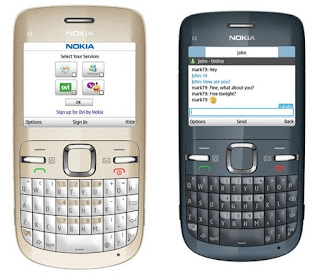 Nokia C3-00 Manual User Guide & Settings - Nokia C3-00 is a GSM phone with 850/900/1800/1900 frequencies. It has a 2.4 inches with dimensions 115.5 x 58.1 x 13.6 mm. Support for MP3 music, MP4, FM Streo, Bluetooth 2.1, Wi-Fi, WAP 2.0/xHTML, HTML, Adobe Flash Lite and other nice features on the Nokia C3-00. If you are the owner of this phone, here you can download Nokia C3-00 straight-user documentation on the official Nokia website. You can read the manual is mainly to get information about learning to navigate the menus, using applications, user settings, SIM Free information, solve problems if there are problems on the Nokia C3-00, and others. Nokia C3-00 user manual, of course, very useful for you as a guide for the phone explorer or operate properly according to the procedure. This guide contains reference information and a lot of important clues. Subjects were divided into 19 parts the user with a list of the contents as follows:
- Safety
- Support
- Nokia C3 in brief
- Get started
- Calls
- Write text
- Navigate the menus
- Messaging
- Contacts
- Music
- Photos
- Applications
- Calendar
- Settings
- About ovi browser
- Operator menu
- SIM services
- Protect the environment
- Product and safety information
HTC One Manual Aka User Guide Download
HTC One Manual Aka User Guide Download - Talking about the HTC smartphone manual, here downkei blog ever discuss about HTC Droid DNA manual. Ok, now about HTC One manual or user guide pdf. If you are owner of this smartphone, as usual you must read the tutorial or instructions to operating this phone. The HTC one user manual provide reference information such as about How to transfer content from another Android Phone with Data Connection?, then about How to update the HTC One software?, or about How to secure your HTC One with a personal touch? Other important information also about learn phone basics operations, make phone calls, phone layout with menu keys, using contacts and messages, using applications like camera and web, phone settings guide, safety, and more. The HTC One pdf manual consisting of 239 pages with file size of 34.44 MB and available in english language. Read the table of content below:
Table Contents of HTC One User Manual / User Guide:
Get Started
Phone Basics
Phone Calls
Accounts and Messaging
Apps and Entertainment
Web and Data
Camera and Video
Tools and Calendar
Settings
Copyright Information
Radio Frequency Exposure Operating Instructions
Index
The HTC One is smartphone that support for GSM/HSDPA/LTE network. It comes with Quad-core 1.7 GHz Krait 300 processor and runs on Android v4.1.2 (Jelly Bean) operating system. Its also equipped with 4 MP rear camera, 2.1 MP front camera and available 2 GB of RAM. The phone measuring 137.4 x 68.2 x 9.3 mm and it has 4.7 inches Super LCD3 capacitive touchscreen display with 1080 x 1920 pixels resolution and with Corning Gorilla Glass 2 also HTC Sense UI v5 features. For connectivity support via bluetooth, wi-fi, USB, gps and nfc. The price of this phone is $549.99.
Download HTC One manual aka user guide in pdf format here
Saturday, February 14, 2015
Sony Ericsson Xperia Active User Manual Guide

Sony Ericsson Xperia Active was created for those who are actively doing activities outdoors. Casing range Xperia smartphone is designed to protect the innards from dust, and water splashes. He is also able to withstand minor dings. But we do not know whether he is strong against salt water, or to limit the depth where it is able to survive when submerged.
The size is 92 x 55 x 16.5 mm, fairly compact and easy to carry anywhere. Good grip, included in the bag, or fanny pack. Extra hard body seems to affect the overall weight of the Xperia Active. With the battery installed it reached 110.8 grams, quite heavy considering its size is not too large.
Regarding the display, Sony Ericsson put a 3-inch screen LED-backlit LCD, capacitive touchscreen with 16 million color depth. Equipped with mobile Bravia engine to provide additional touch on the graphics.
Note :
The shape is a little quirky with a lump in the bottom hole to insert the hook into it. Added to the right side of the volume control and camera shutter. While the bottom there is a USB port and headset covered rubber cover.
Features :
There is a 5 megapixel camera on the Sony Ericsson Xperia Active is also capable of recording 720p video. Interface is aligned with the camera features Sony Cybershot digital camera interface. All options in the features can be accessed with just a tap. The images can be directly uploaded to facebook and picasa. Or you can send them via email.
Sony Ericsson Music player is very user-friendly, with large buttons for easy navigation. Users will get the equalizer settings and options xLOUD, which increases the loudness of the speakers. Finally, there is the Infinite which lets you do a quick search for the lyrics of a song, karaoke videos on YouTube, artist biographies and discographies, and so on.
Xperia Active, like a smartphone with Android operating system others have access to Android Market for downloading aplkasi created specifically for Android. Features GPS Navigation which is admirable because of its high level of accuracy. Like the European football? There are smartphone applications in UEFA standings for updates, news, photos and other interesting things related to football.
Note :
Sony Ericsson Xperia Active features the office in the form of an Office application suite.
Performance :
With the Sony Ericsson Xperia Active we have a 1GHz processor that provides solid data processing speed more quickly, especially considering this is a smartphone outdoor power which is usually more concerned with depth than the outer shell. The entire application works perfectly, even running some while still feels tight.
The main deficiency is in the telephony function smartphone. You will be a little hard to hear the callers voice because the speakers are not good. Battery strengthen Sony Ericsson Xperia Active has a capacity of 1200mAh. And to 4.5 hours of talk time and 14 days stand-by.
HTC One V Manual User Guide
HTC One V Manual User Guide
 |
| HTC One V |
HTC One V Manual User Guide : Download Pdf
Specification :
General | ||
| 2G Network | : | GSM 850 / 900 / 1800 / 1900 |
| 3G Network | : | HSDPA 850 / 900 / 2100 |
Body | ||
| Dimensions | : | 120.3 x 59.7 x 9.2 mm |
| Weight | : | 115 g |
| Touch-sensitive controls | ||
Display | ||
| Type | : | Capacitive touchscreen, 16M colors |
| Size | : | 480 x 800 pixels, 3.7 inches (~252 ppi pixel density) |
| Multitouch | : | Yes |
| HTC Sense UI v4.0 | ||
Sound | ||
| Alert types | : | Vibration, MP3, WAV ringtones |
| Loudspeaker | : | Yes |
| 3.5mm jack | : | Yes |
Memory | ||
| Card slot | : | microSD, up to 32GB |
| Internal | : | 4 GB, 512 MB RAM |
Data | ||
| GPRS | : | Yes |
| EDGE | : | Yes |
| Speed | : | HSDPA, HSUPA |
| WLAN | : | Wi-Fi 802.11 b/g/n, Wi-Fi Direct, Wi-Fi hotspot |
| Bluetooth | : | Yes, v4.0 with A2DP |
| USB | : | Yes, microUSB v2.0 |
Camera | ||
| Primary | : | 5 MP, 2592 x 1944 pixels, autofocus, LED flash |
| Features | : | Simultaneous HD video and image recording, geo-tagging, face and smile detection |
| Video | : | Yes, 720p |
| Secondary | : | No |
Features | ||
| OS | : | Android OS, v4.0 (Ice Cream Sandwich) |
| Chipset | : | Qualcomm MSM8255 Snapdragon |
| CPU | : | 1 GHz |
| GPU | : | Adreno 205 |
| Sensors | : | Accelerometer, proximity |
| Messaging | : | SMS (threaded view), MMS, Email, Push Email |
| Browser | : | HTML, Adobe Flash |
| Radio | : | Stereo FM radio with RDS |
| GPS | : | Yes, with A-GPS support |
| Java | : | Yes, via Java MIDP emulator |
| Colors | : | Black, Brown |
| Beats Audio | ||
| SNS integration | ||
| MP4/H.263/H.264/WMV player | ||
| MP3/eAAC+/WMA/WAV player | ||
| Google Search, Maps, Gmail, YouTube, Calendar, Google Talk | ||
| Document viewer | ||
| Voice memo/dial | ||
| Predictive text input | ||
Battery | Standard battery, Li-Ion 1500 mAh | |
| Stand-by | : | |
| Talk time | : |
Friday, February 13, 2015
Nokia Lumia 820 User Manual Guide

Canon EOS 650D Rebel T4i DSLR User Manual Guide
+DSLR.jpg "Canon EOS 650D (Rebel T4i) DSLR") |
| Google Images |
- 18 MP APS-C Hybrid CMOS sensor
- DIGIC 5 image processing engine
- 5 fps continuous shooting
- ISO 100-12,800 (extendable to ISO 25,600)
- All-cross-type 9-point wide-area AF
- 3-inch 1,040k dot 3:2 Vari-angle Clear View LCD II Touch screen
- Full-HD movies with manual controls and continuous AF
- Handheld Night Scene and HDR Backlight Control
- Creative filters
- Integrated Speedlite Transmitter
Download Canon EOS 650D (Rebel T4i) Operating Instruction Guide
Thursday, February 12, 2015
Samsung Exhibit II 4G Manual User Guide
 Samsung Exhibit II 4G Manual User Guide - The Samsung Exhibit II 4G is smartphone that supported by 1 Gc Qualcomm flower dual processor and running on the robot two.3 cake software package / platform with 512 MB internal RAM, 4GB Internal memory board. Congratulations if had bought the Samsung Exhibit II 4G for T-Mobile. On the smartphone after all several applications and options you wish to do. For it, as a reference or pointers do not forget to browse the manual or user guide PDF of Samsung Exhibit II 4G. As owner or smart user of this phone, attempt to browse fastidiously step by step from the Samsung Exhibit II 4G manual as a result of once your Samsung Exhibit II 4G has operated properly and consistent with the procedure, then this can be helpful to the sturdiness of your mobile phone. If there ar obstacles or issues along with your smartphone, because the answer ideally before contacting samsung service center, browse all vital instruction that ar within the Samsung Exhibit II 4G Manual. however if you lose with the Samsung Exhibit II 4G user manual, youll transfer it directly samsung.com official web site. As data for you, when we tend to browse the Samsung Exhibit II 4G owner manual, there ar some vital data like learn phone layout with menu and key functions, learn phone basic operations or operative phone guide, mistreatment memory card, mistreatment applications, mistreatment camera, connecting guide like buletooth and Wi-fi, safety, phone settings guide and additional. For data regarding the Samsung Exhibit II 4G specs or full specification, youll browse below when table of content for the Samsung Exhibit II 4G review.
The table of contents for the Samsung Exhibit II 4G manual such as:
- Getting Started
- Understanding Your Phone
- Memory Card
- Call Functions and Contacts List
- Entering Text
- Contacts
- Messaging
- Multimedia
- Applications and Development
- Connections
- Time Management
- Changing Your Settings
- Health and Safety Information
- Warranty Information
- Index
While for the Samsung Exhibit II 4G specs / specification and features include:
- Network: Band IV(1700/2100), Band II (900), Band V(850) GSM/3G/4G
- Boosted by a 1 GHz Qualcomm Snapdragon dual processor
- Applied Android 2.3 Gingerbread operating system
- It has a 3.7-inch WVGA TFT touchscreen display 480 X 800 pixels resolution,and support 16M colors
- Available 512 MB internal RAM, 4GB Internal ROM and supports up to up to 32GB microSD memory card,
- Equipped with 3 mega pixels rear-facing camera with 3x digital zoom and Video recording MPEG4a also VGA front-facing camera
- Connectivity: Wi-Fi 802.11 a/b/g/n, Wi-Fi Sharing (Up to 8 connections), Tethering APN, Micro USB, Bluetooth 3.0, Power Class 1, A2DP (stereo Bluetooth), OPP (Object Push Profile), T-Mobile TV
- Powered by 1500 mAh Lithium battery
Download free pdf manual from samsung.com here:Samsung Exhibit II 4G Manual (English | 9.84 MB | 233 pages)
Tuesday, February 10, 2015
Samsung N7100 Galaxy Note II User Manual Guide

Tahun lalu Samsung berhasil membius pasar dengan gadget yang fenomenal, Galaxy note N7000. Dengan ukuran yang besar untuk kelas smartphone, ditambah layarnya yang 5.3 inchi, menjadikan predikat kelas baru untuk gadget peranakan Smartphone dan tablet, yakni phablet. Kini telah muncul generasi penerus Galaxy Note N7000, adalah seri N7100 Galaxy Note II. Phablet ini punya dimensi yang sedikit lebih besar dibanding pendahulunya, yakni 151,1 x 80,5 x 9,4 mm dan berat 183 gram. Ukuran dan bobot yang sedikit lebih besar ini sebagai konsekuensi dari layarnya yang mencapai 5.5 inchi.
Layar Galaxy Note II mengusung jenis Super AMOLED capacitive dengan kedalaman 16 juta warna. Resolusi layar 720x1280 pixels punya kepadatan pixels 267 ppi. Soal kepadatan pixels, Galaxy Note N7000 ternyata lebib tinggi dengan 285 ppi. Sebagai smartphone papan atas, layarnya sudah dilengkapi teknologi anti gores Gorilla glass 2. Tampilan antarmuka menjadi ciri khas tersendiri pada tiap gadget Samsung, dan dilihat secara jelas TouchWiz Galaxy Note II identik dengan yang ada di Galaxy S III. Satu hal yang cukup mengesankan, adopsi Android 4.1 (Jelly Bean) memberi nuansa baru pada tampilan antarmuka., ditambah ada 7 halaman homescreen yang dapat Anda kustomisasi untuk diisi widget-widget favorit.
Menelusiri detail pada sisi muka, di atas layar terdapat lensa kamera sekunder, lubang earpiece, lampu LED, dan sensor proximity. Sedangkan dibawah layar terdapat tombol fisik untuk back yang diapit dua touchpad untuk back dan menu. Galaxy Note II tidak mengusung desain unibody, alhasil back cover dapat dibuka untuk input MicroSD dan slot Micro SIM card. Sisi Back cover seperti biasa terdapat lensa kamera utama, flash light serta speaker. Meski penampang cover belakang cukup lebar, tapi secara keseluruhan bidang cover cukup mantap digenggam. Untuk posisi audio jack 3,5 mm berada pada sisi atas. Sedangkan d posisi ibawah terdapat port Micro USB, built in stylus pen, dan lubang mikrofon. Untuk tombol pengatur volume berada pada sisi kanan, dan pada sisi kiri terdapat tombol on/off - pengunci layar.
Catatan :
Letak S-Pen juga masih sama yakni di ujung kanan bawah. Ukuran S Pen lebih panjang, lebih pipih dan lebih tebal dibanding S Pen pada Galaxy Note N7000.
Fitur :
Kamera utama Galaxy Note II mengandalkan resolusi 8 Mpix (3264x2448 pixels) dan kamera sekunder dengan resolusi 1,9 Mpix. Kamera boleh dibilang punya standar menu yang cukup tinggi, seperti flash light, auto focus, macro mode, face detection, best faces, best photo, panorama, multishot, share shot, HDR (high definition range), smile shot, timer, efek, white balance, anti shake, geo tagging GPS, dan masih banyak lainnya. Ada nama baru, yakni best faces, menu ini sangat berguna untuk mengambil foto grup. Dengan Best Faces, kamera dapat mengambil beberapa foto sekaligus.
Untuk rekam video selain mode 1080p standar dengan 30 fps, ada mode slow motion dan Fast Motion. Slow Motion memang bisa memperlambat video menjadi 8x, namun resolusinya menurun jadi 720x480 pixels. Samsung juga melengkapi aplikasi video editor untuk Anda berkreasi pada hasil video. Pemutar video juga berkualitas jempolan, banyak menu high end yang mampu memanjakan pengguna, video bisa dilihat berdasarkan thumbnail, list dan folder. Sementara itu fitur-fitur yang ada antara lain chapter preview, trim, tag buddy, video auto off, play speed, sound alive, color tone dan outdoor. Ada fitur Pop up Play , fitur ini memungkinkan pengguna yang sedang menonton video untuk mengecilkan layar video yang memudahkan Anda untuk melakukan aktivitas lain secara bersamaan.
Untuk pemutar musik, tampilan antarmukanya juga tampil menarik, menu yang ada mencakup kategori all, playlist, album, artists, music square, dan folder. Mengenai music square, fitur ini membagi music berdasarkan jenis nadanya, passionate, exciting, calm atau joyful. Sedangkan aplikasi pendukung musik ada Sound Alive, menampilkan lirik lagu, mengubah kecepatan pemutar musik dan auto off music player setelah jangka waktu tertentu. Galaxy Note II juga dilengkapi FM radio dengan koneksi headset sebagai antena. Channel list dapat merekam secara dinamis dan terdapat menu untuk merekam siaran radio.
Dengan prosesor quad core tentu membawa pengaruh positif pada beragam fiturnya, salah satunya adalah browser default. Dalam uji coba menggunakan layanan mobile broadband dari kartu Axis Pro Unlimited bisa membuka hingga 10 tab dalam waktu 60 detik. Terdapat tambahan fitur Incognito browser yang memungkinkan Anda melakukan browsing tanpa meninggalkan jejak seperti history, cookies, password, dan lain sebagainya, pengaturan Brightness, Print dan Save for offline reading. Tentu fitur ini bisa menjadi pilihan bagi Anda yang membutuhkan privasi. Performa browsernya sangat lancar, tidak terasa lag saat melakukan scrolling dan pinch zooming.
Catatan
Meski digadang sebagai gadget high end, Galaxy Note II sayangnya tidak dilengkapi aplikasi office seperti Galaxy smartphone lainnya. Tapi pihak Samsung Indonesia menyebut bahwa tetap terdapat document viewer, alias hanya bisa membuka/membaca dokumen-dokumen yang ada. Tapi tentu tak sulit mendapatkan aplikasi office, di Google play tersedia banyak pilihan.
Kinerja :
Dengan sokongan prosesor quad core 1.6 Ghz Cortex-A9 chipset Exynos 4412 Quad menjadikan kinerja gadget ini cukup sempurna. Soal kecepatan berpikir sangat memuaskan, olah kekuatan layarnya dipacu oleh GPU Mali-400MP. Sebagai fitur unggulan adalah S Pen, bentuknya kini lebih pipih dan lebih panjang, Samsung menyebut kalau stylus baru ini lebih sensitif daripada yang lama. Anda dapat menggambar maupun memberi warna dengan 4 jenis input: Pen, Kuas, Pensil dan Stabilo. Selain itu ada pilihan warna yang sangat banyak serta opsi untuk menambahkan gambar baik dari galeri, kamera, clip art, clipboard maupun map.
Galaxy NotDesign :
Last year Samsung managed to anesthetize the market with phenomenal gadget, Galaxy note N7000. With class sizes are great for smartphones, plus a 5.3-inch screen, making the title of a new class of gadget canal Smartphones and tablets, namely phablet. Has now emerged the next generation Galaxy Note N7000, N7100 series is the Galaxy Note II. This phablet has dimensions slightly larger than its predecessor, which is 151.1 x 80.5 x 9.4 mm and weighs 183 grams. Size and weight are slightly larger as a consequence of achieving 5.5-inch screen.
Carrying the Galaxy Note II screen Super AMOLED capacitive type with a depth of 16 million colors. Screen has a resolution of 720x1280 pixels 267 ppi pixels density. About the density of pixels, the Galaxy Note N7000 turns at a higher level with 285 ppi. As the top smartphones, the screen is equipped with scratch-resistant Gorilla glass technology 2. Interface into its own characteristics of each gadget Samsung, and seen clearly TouchWiz Galaxy Note II is identical to the one in the Galaxy S III. One thing is quite impressive, the adoption of Android 4.1 (Jelly Bean) gives a new feel to the user interface., Plus there are 7 pages homescreen that you can customize for your favorite stuffed widgets.
Searching our detail on the front side, on the top of the screen there is a secondary camera lens, the earpiece hole, LED light, and a proximity sensor. While there are physical buttons below the screen to the back flanked by two touchpad for back and menu. Galaxy Note II does not carry the unibody design, as a result of the back cover can be opened for input Micro MicroSD and SIM card slot. Back side cover as always there is the main camera lens, flash light and speaker. Although fairly wide cross-section of the back cover, but cover the whole field sufficiently firmly grasped. To position 3.5 mm audio jack are on the top side. While there is a church service positions d Micro USB port, a built-in stylus pen and the microphone hole. For volume control buttons located on the right side, and on the left side there is a button on / off - lock screen.
Note :
Location of the S-Pen is still the same, that in the bottom right corner. Size S Pen is longer, flatter and thicker than the S Pen on Galaxy Note N7000.
Features :
The main camera Galaxy Note II relies resolution 8 MP camera (3264x2448 pixels) and a secondary camera with a resolution of 1.9 MP. Arguably camera has a high enough standard menu, such as a flash light, auto focus, macro mode, face detection, best faces, best photo, panorama, multishot, share shot, HDR (high definition range), smile shot, timer, effects, white balance, anti-shake, GPS geo tagging, and many more. There is a new name, the best faces, this menu is very useful for taking group photos. With Best Faces, the camera can take multiple photos at once.
To record the video than standard 1080p mode with 30 fps, no slow motion mode and Fast Motion. Slow Motion video can be slowed down to 8x, but the resolution is dropped to 720x480 pixels. Samsung also complete your application for creative video editors on the video. The video player is also topnotch quality, lots of high end menu that can spoil the user, the video can be viewed by thumbnail, list and folders. Meanwhile there are features such as chapter preview, trim, buddy tags, video auto off, play speed, sound alive, color tone and outdoor. There Pop up Play feature, this feature allows users who are watching the video to shrink the video screen that allows you to do other activities together.
For the music player, the display interface also looks good, the menu includes all categories, playlists, albums, artists, music square, and folders. Regarding the music square, this feature music split by type of tone, passionate, exciting, calm or joyful. Music while supporting existing applications Sound Alive, featuring lyrics of the song, change the speed of the music player and music player auto off after a certain period of time. Galaxy Note II also comes with an FM radio headset as an antenna connection. Channel list can record dynamically and there is a menu to record radio broadcasts.
With a quad-core processor would bring a positive impact on its diverse, one of which is the default browser. In trials using mobile broadband services from Axis Pro Unlimited card can open up to 10 tabs in 60 seconds. There are additional features Incognito browser that lets you browse without leaving traces like history, cookies, passwords, and so forth, the Brightness setting, Print and Save for offline reading. Of course these features could be an option for those who need privacy. Performance of the browser is very smooth, does not feel lag when scrolling and pinch zooming.
Note :
Although staying as a high end gadget, the Galaxy Note II unfortunately not equipped office applications such as other smartphone Galaxy. But the Samsung Indonesia said that the remains are document viewer, alias can only open / read existing documents. But certainly not difficult to get the office applications, in Google play a lot of options available.
Performance :
With the support of quad-core 1.6 GHz Cortex A9 Exynos 4412 Quad chipset makes this gadget quite perfect performance. About the speed of thought is very satisfactory, though the screen is driven by the power of Mali-400MP GPU. As the flagship feature is the S Pen, is now more flattened shape and longer, Samsung said that the new stylus is more sensitive than the old. You can draw or color with 4 types of input: Pen, Brush, Pencil and Stabilo. In addition there are very many color choices as well as the option to add an image either from the gallery, camera, clip art, clipboard or folder.
Galaxy Note II is not equipped with an HDMI port, but HDMI chipset has brought on the go, meaning you can connect to it via the adapter. Other than that, this sophisticated phablet also ready to feature NFC (near field communication). In general, the Galaxy Note II internal memory versions offered in 16/32 and 64 GB. But for the version sold in Indonesia are the Galaxy Note II with 16 GB of internal memory. In overseas Galaxy Note II there is also a feature of LTE (long term evolution),
Galaxy Note II carry the type Lithium ion battery with a capacity of 3,100 mAh. Standby time which can be achieved is 980 hours on 2G and 890 hours on 3G networks. While speaking time of 35 hours on 2G network and 16 hours on 3G networks.e II memang tidak dibekali port HDMI, tapi chipsetnya sudah mengusung HDMI on the go, artinya Anda bisa mengkoneksikannya lewat adapter. Lain dari itu, phablet canggih ini juga sudah siap dengan fitur NFC (near field communication). Secara umum Galaxy Note II ditawarkan dalam versi memori internal 16/32 dan 64 GB. Tapi untuk versi yang dijual di Indonesia adalah Galaxy Note II dengan memori internal 16 GB. Di luar negeri Galaxy Note II juga sudah ada yang dilengkapi fitur LTE (long term evolution), tapi untuk versi tersebut belum dipasarkan di Indonesia, mungkin menunggu kesiapan operator menggelar LTE terlebih dahulu.
Galaxy Note II mengusung jenis baterai Lithium ion dengan kapasitas 3.100 mAh. Waktu siaga yang dapat dicapai adalah 980 jam pada jaringan 2G, dan 890 jam pada jaringan 3G. Sedangkan waktu bicaranya 35 jam pada jaringan 2G, dan 16 jam pada jaringan 3G.
Visite : Samsung N7100 Galaxy Note II User Manual Guide